01
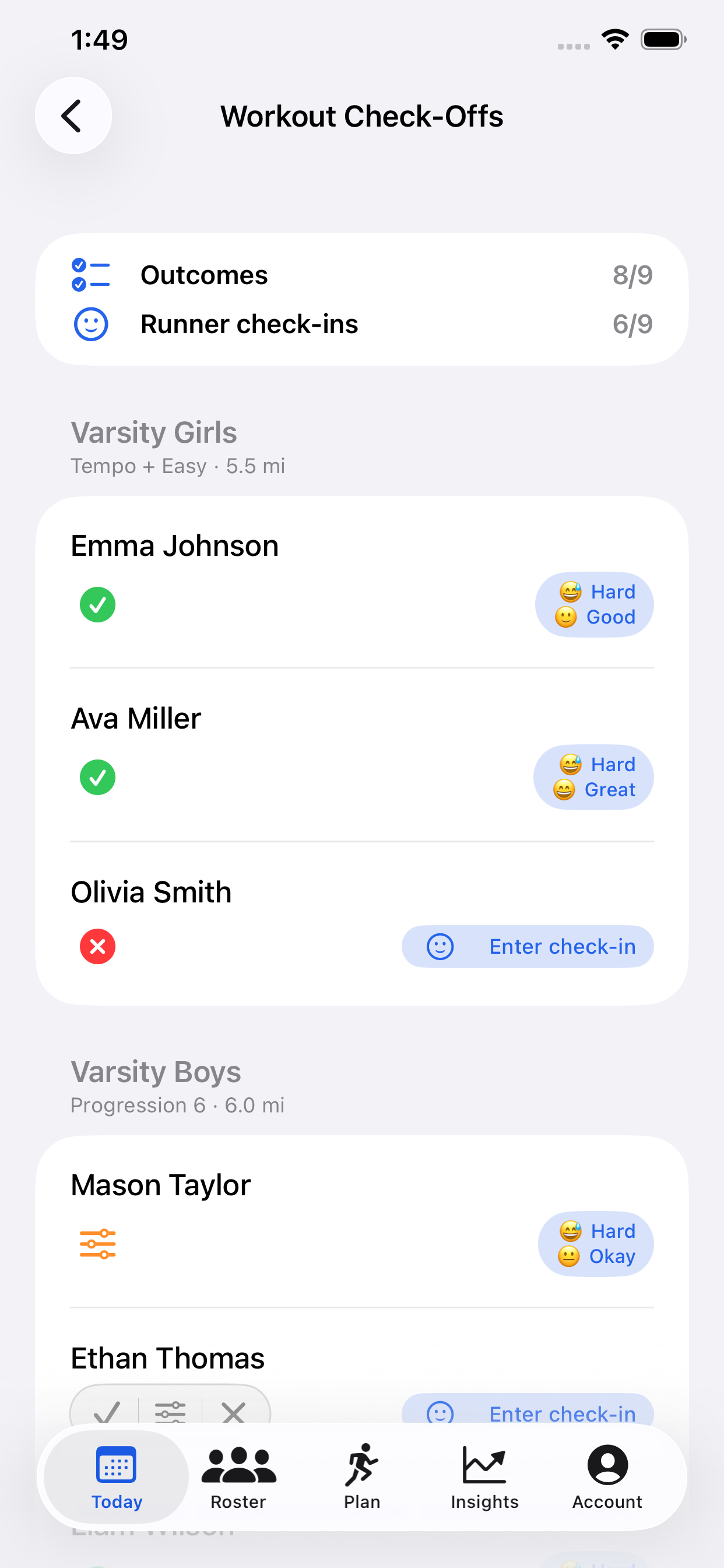
See who completed the work
Assigned workouts and runner outcomes roll into one team view, organized by the training groups you already coach.
CoachSplit turns runner check-ins into a clear daily team pulse—who completed the work, how it felt, and who may need a conversation—before practice starts.
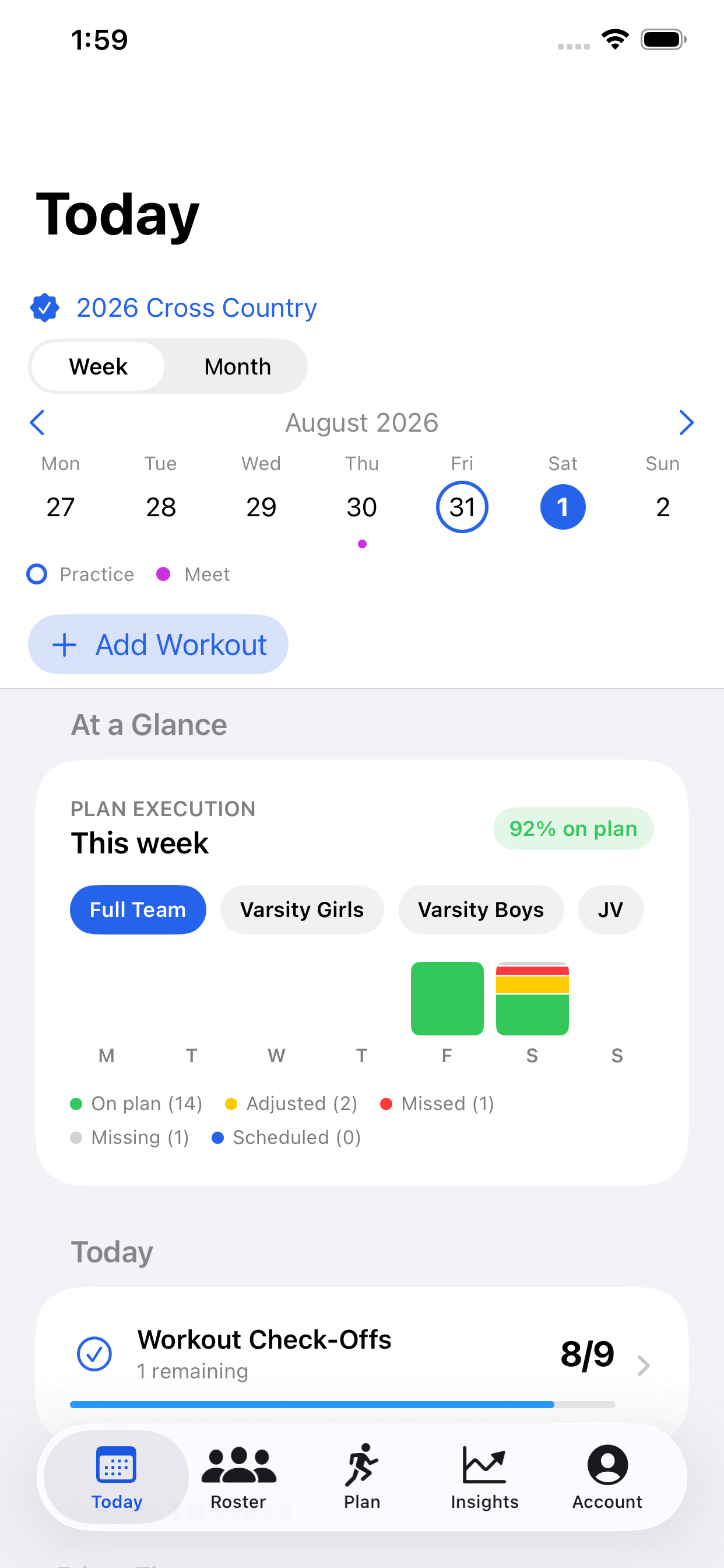
The Today view brings the day’s plan, weekly progress, check-ins, and meaningful changes into one coaching board.
Inside CoachSplit
Move from the team-wide signal to the athlete, roster, or training plan without losing the context that made you look.
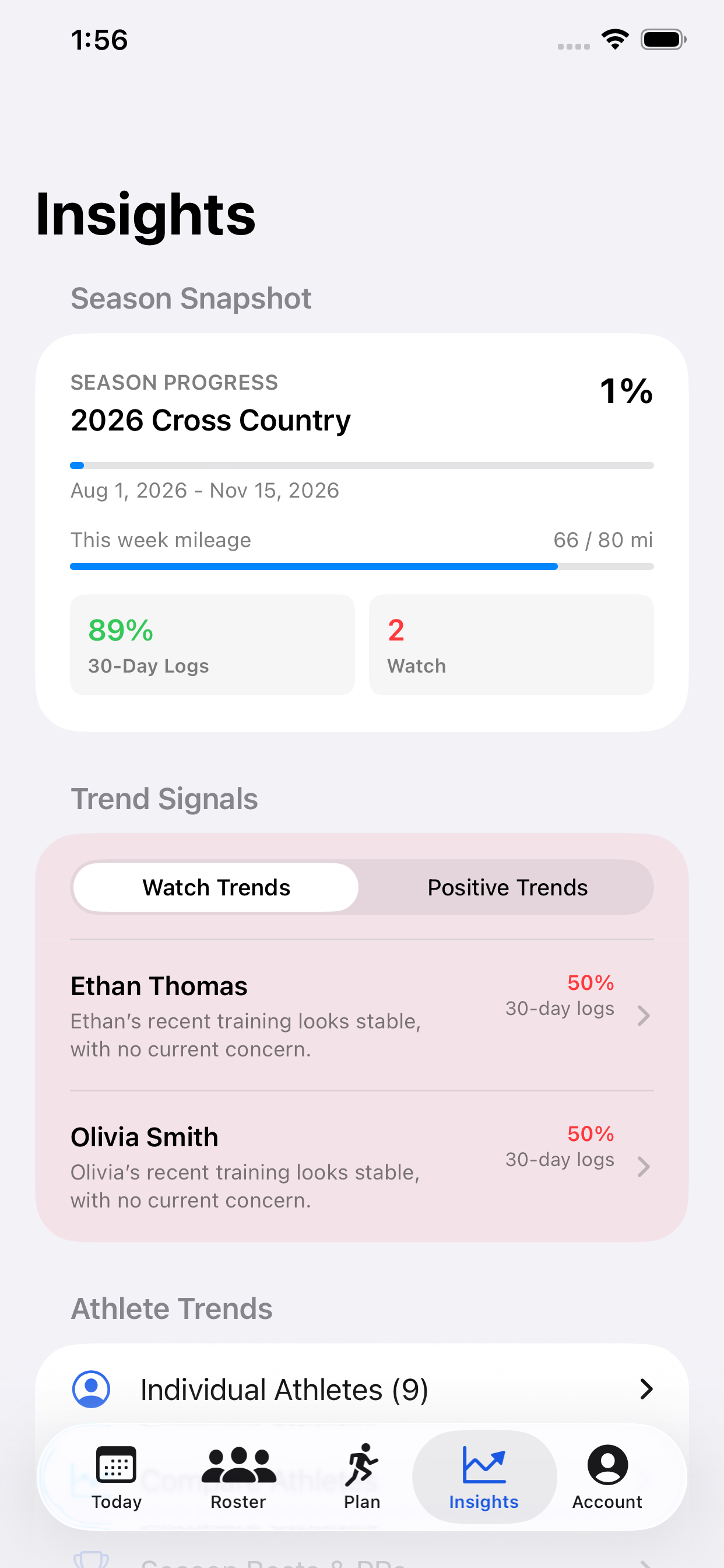
See season progress, logging consistency, and athletes whose recent trends deserve a closer look.
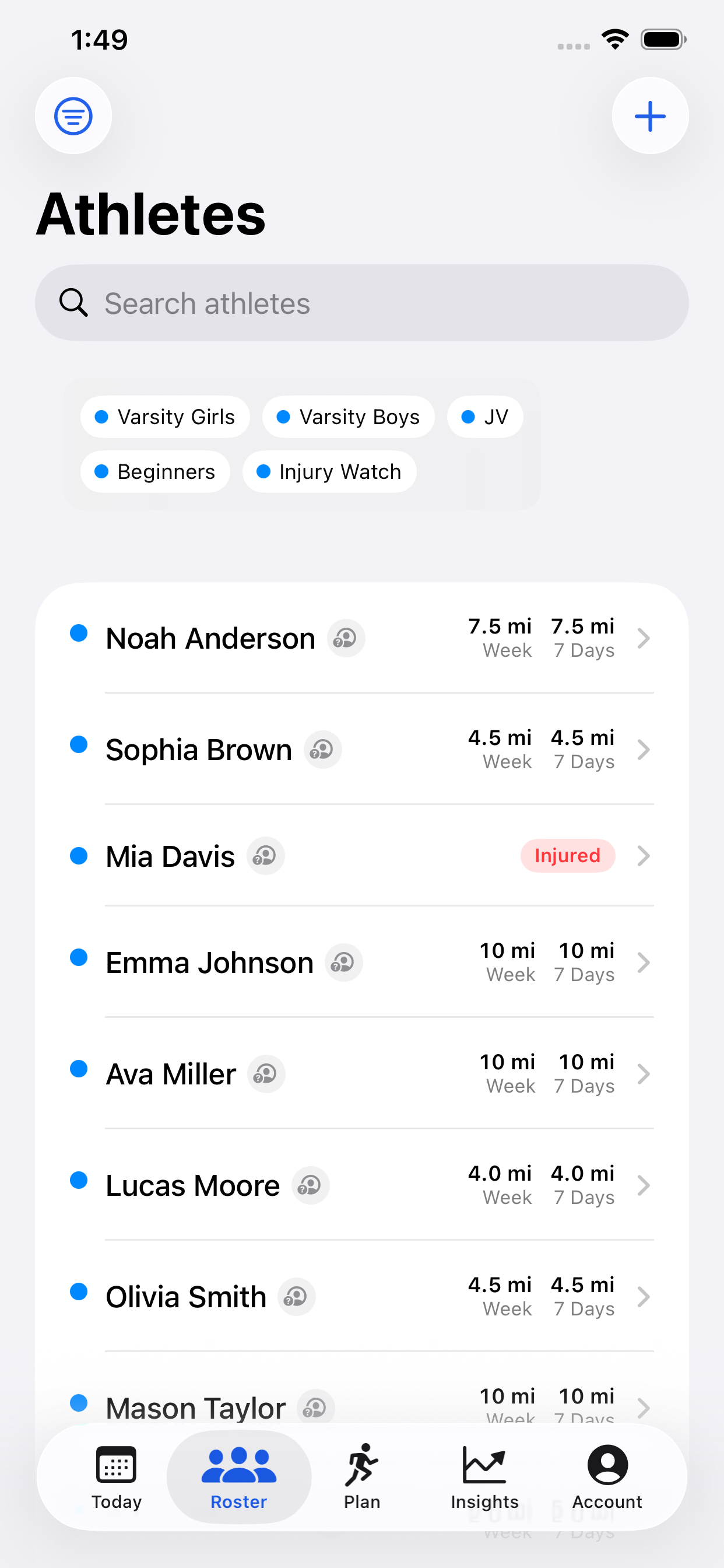
Search the roster, scan recent mileage, and keep training groups and athlete status close at hand.
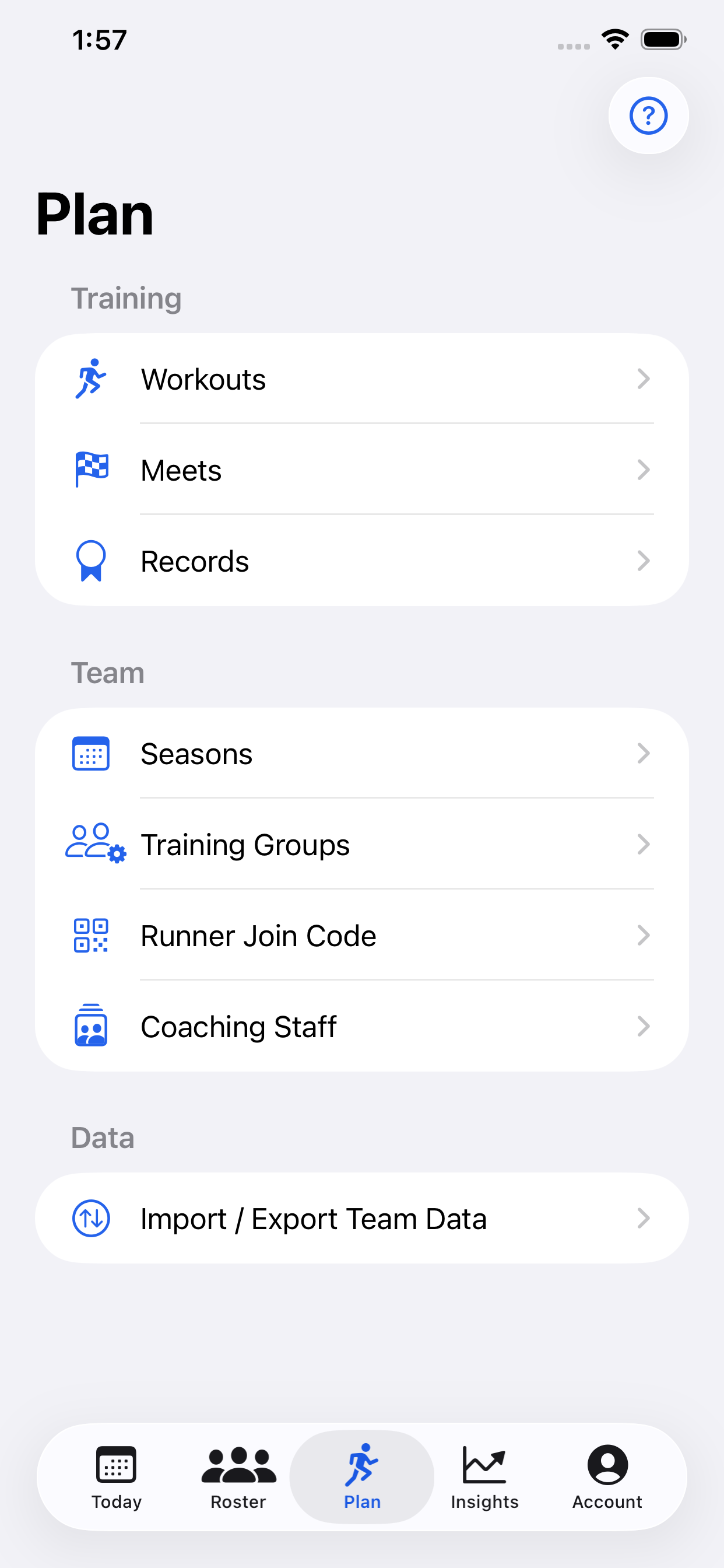
Build workouts, manage meets and records, organize groups, and bring coaches and runners onboard.
The coaching loop
Coaches set the work. Runners give lightweight feedback. CoachSplit organizes the signal without pretending to replace the coach’s judgment.
Set the day’s work for each training group.
Runners log completion, effort, feeling, and a note.
CoachSplit surfaces completion, patterns, and missing logs.
Open the athlete’s full context before the conversation.
For coaches
Not another GPS dashboard. CoachSplit is built around the questions a distance coach asks every day: Who did the work? How did it feel? Who needs me?
Assigned workouts and runner outcomes roll into one team view, organized by the training groups you already coach.
Effort, feeling, notes, and missing check-ins reveal the days when completion alone does not tell the whole story.
Recent notes, workout history, race results, status, and trends stay together when it is time for a real conversation.
Easy to adopt
CoachSplit asks runners for just enough context to help—and respects the boundaries that make honest check-ins possible.
Log completed, modified, or could-not-complete, then add effort, feeling, and an optional note.
No public training feed. Personal activities stay private unless the runner chooses to share them with a coach.
Core coaching and logging workflows keep working at meets, on trails, and anywhere reception is unreliable.
Privacy by role
CoachSplit is designed around clear boundaries between coaches, assistants, and runners. Access is enforced by team role, not just hidden in the interface.
Read the privacy policyWhat each role can access
The details
Runners see their own workouts and history, plus team race results and leaderboards. They cannot browse another runner’s training details, coach notes, or attention flags.
Access is enforced by team role. Coach notes and attention flags stay with coaches, runner training details are limited to the runner and authorized coaches, and personal activities are private unless the runner chooses to share them.
Not yet. CoachSplit is currently available for iPhone and iPad. Cross-platform access is an important future step, but the current product is focused on Apple devices.
CoachSplit is free for coaches, assistants, and runners during the public pilot. No trial, payment, or subscription is required. Paid plans may be introduced later, but pilot access will not turn into a paid subscription automatically.
For distance teams
Tell us about your U.S. high-school cross-country or distance-track program, and we’ll help you understand whether CoachSplit fits your team.
iPhone and iPad · Coach and runner workflows · Guided team setup